
Overview
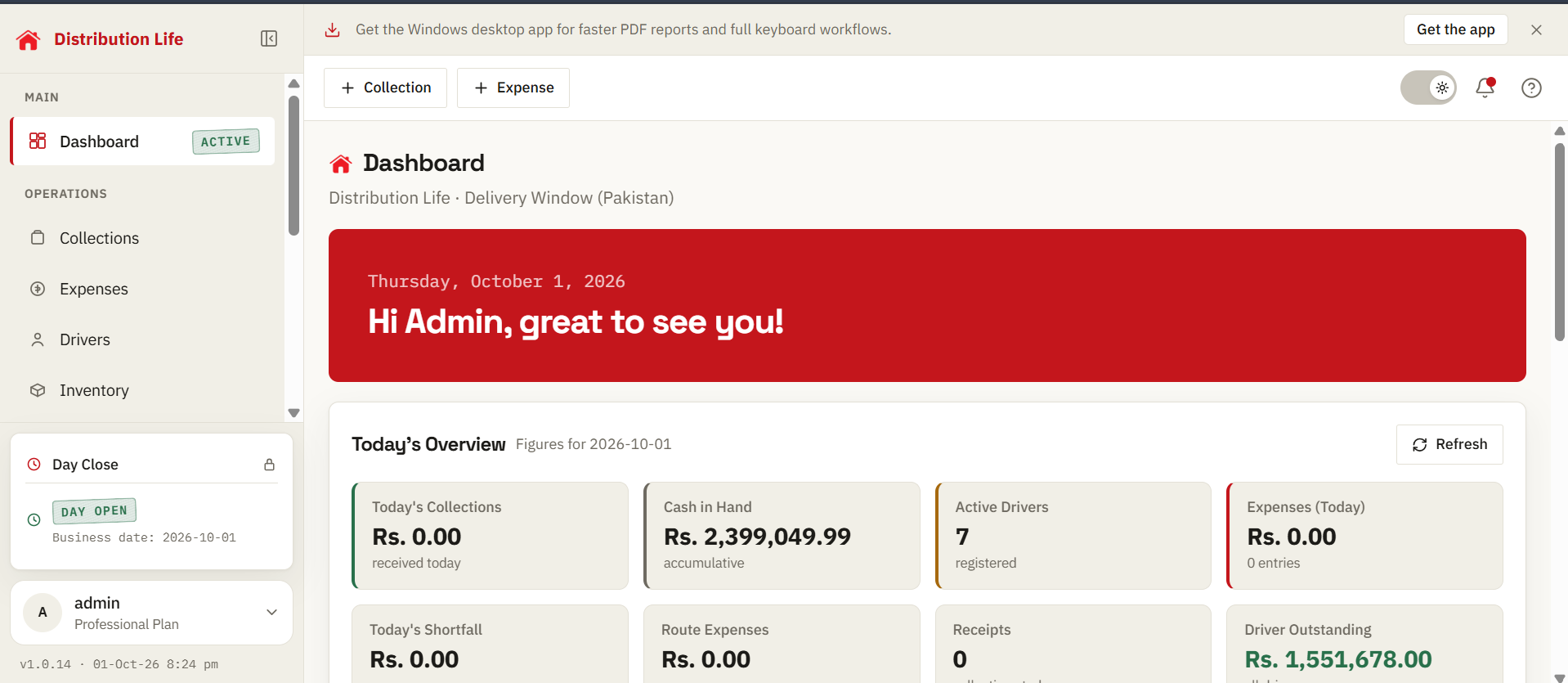
Daily dashboard
Collections, shortfalls, and cash on hand in one view.
Distribution Life
Track collections, drivers, shops, stock, expenses, bank deposits, and day closing without scattered sheets.
Built for modern distributor offices worldwide.
Trusted by distributor offices

These traders are authorized distributors of their respective companies.
Coca-Cola, Pepsi, and Nestlé are registered trademarks of their respective owners. Shafqat Traders, Al-Moeen Traders, Khan Traders, Hashmi Foods, and other named traders shown are independent authorized distributors of their respective companies. Distribution Life is not affiliated with or endorsed by The Coca-Cola Company, PepsiCo, Nestlé, or any of these brands.
Results & impact
See collections, expenses, cash, stock, and driver balances from the records your office enters each day.
Keep collections, expenses, deposits, and driver records together. Spend less time matching separate sheets and more time checking the numbers.
Problem
When collections, expenses, stock, driver balances, and deposits sit in different registers and sheets, small mistakes are hard to trace.
Solution
Collections, expenses, deposits, driver balances, and stock movements stay connected to the same business day.
Features
See what came in, what went out, and what is still outstanding across your office.
Record what each driver should bring, what was received, and any shortfall on the same receipt.
Keep bank deposits linked to collections so the money is easier to account for.
See cash in hand alongside fuel, allowances, petty cash, and other expenses.
Check what each driver still owes and print daily or period reports when needed.
See what stock came in, what left with each driver, and what remains on hand.
Keep each shop's credit history and see which driver is responsible for its balance.
How it works
Record the work, check the balances, then close with a clear record.
Enter collections, expenses, stock movements, and deposits as work happens.
Check balances and reports built from those same records.
Review collections, cash, and outstanding balances before closing.
Route collections
Record what was expected, what arrived, route expenses, discounts, and any shortfall on one receipt.
Driver Information
Billing
Packaging (took / returned)
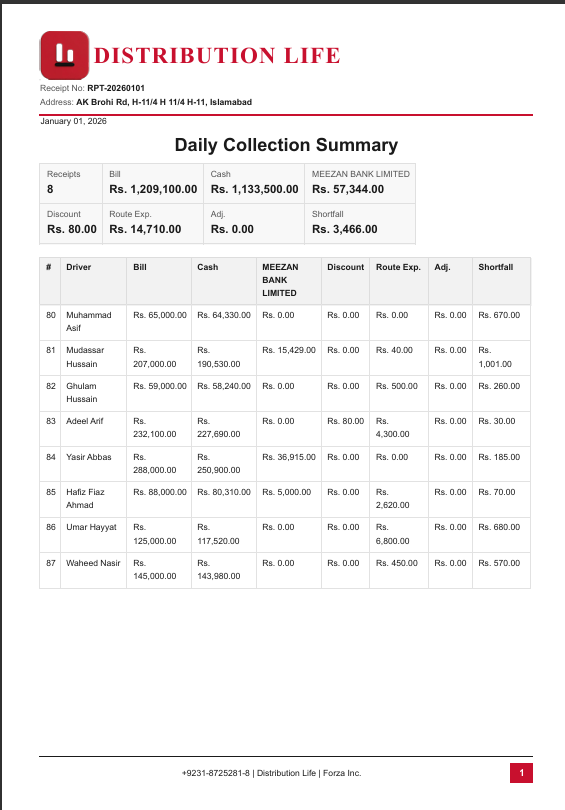
End-of-day reports
Print a daily summary of drivers, collections, totals, and shortfalls without rebuilding it in Excel.
Preview and export distributor reports.
Click Save PDF, or scroll here to watch it auto-play.
Real screens of the login, dashboard, collections, inventory, and treasury.
Daily dashboard
Collections, shortfalls, and cash on hand in one view.
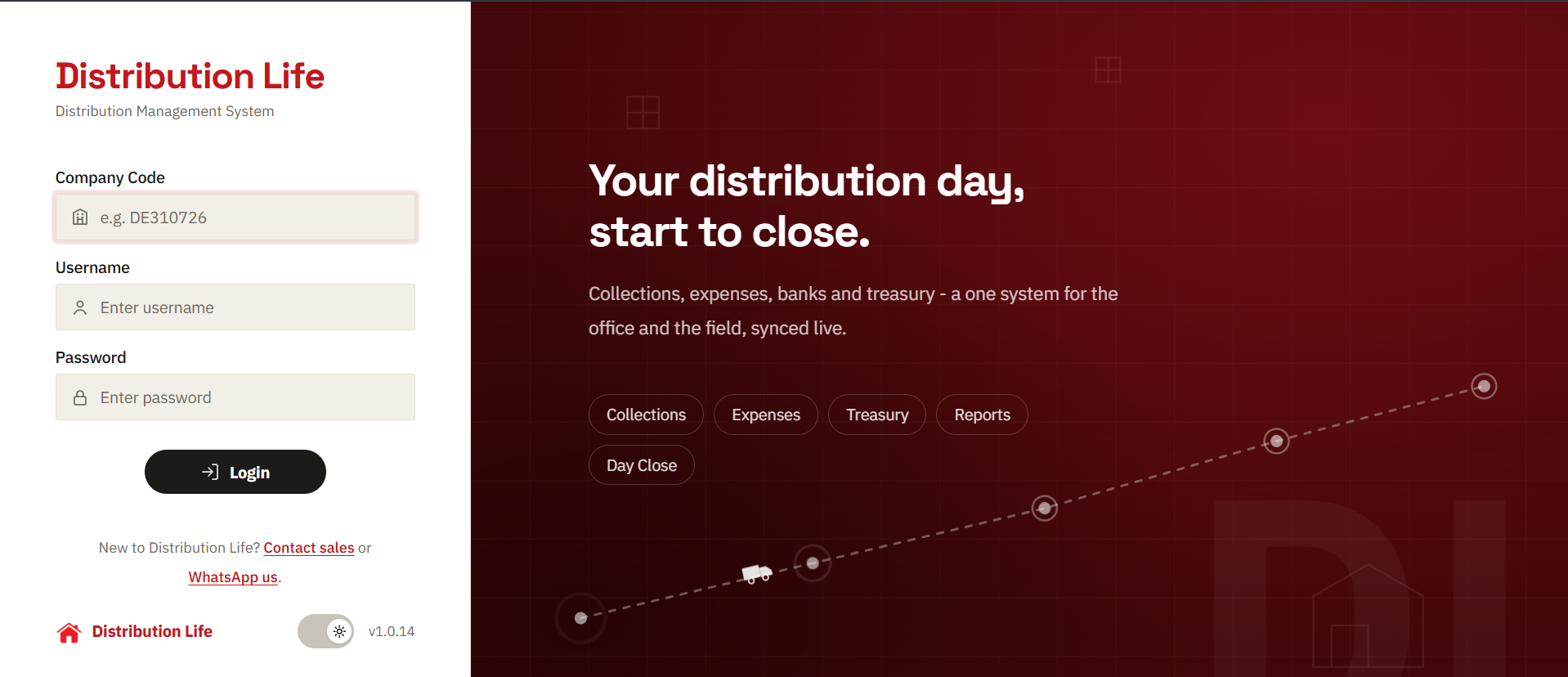
Secure login
Role-based access with named user accounts.
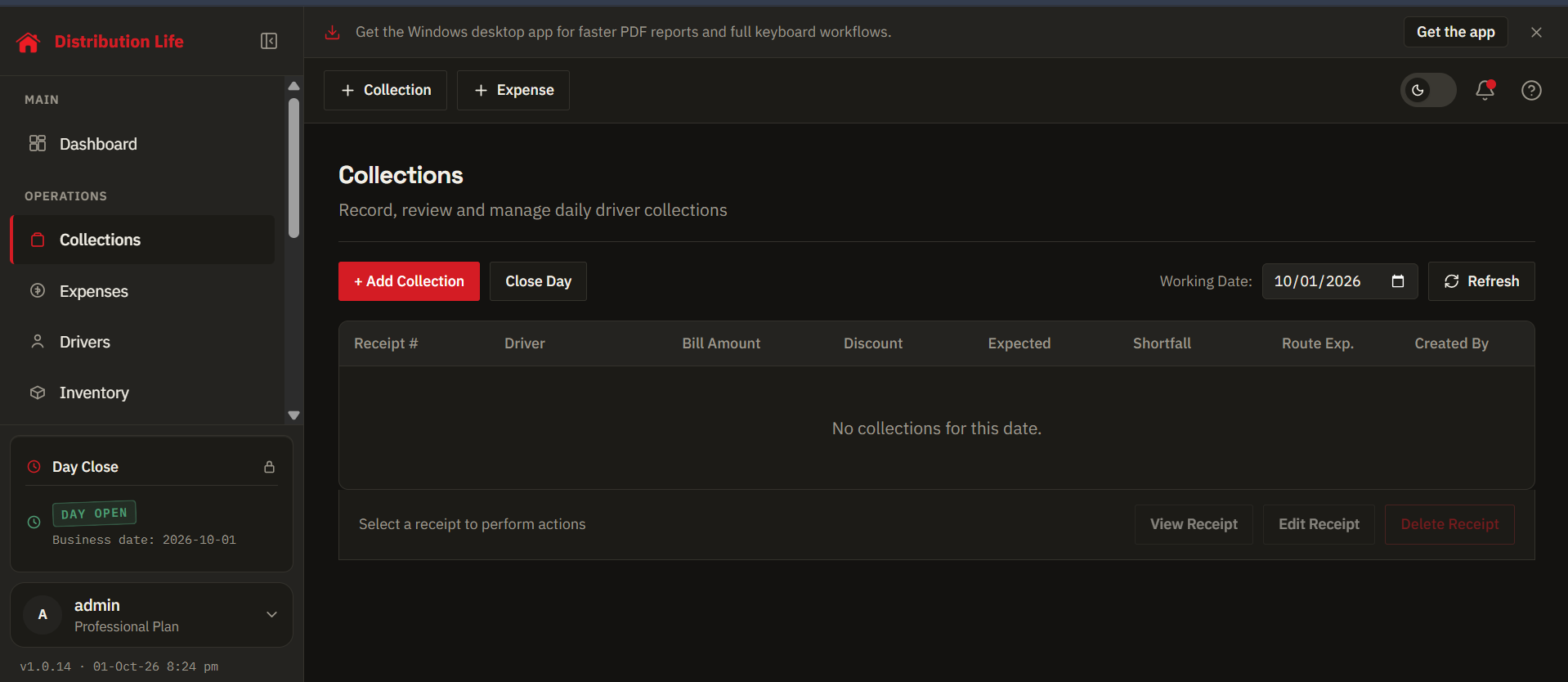
Route collections
Review receipts, drivers, and collection details by date.
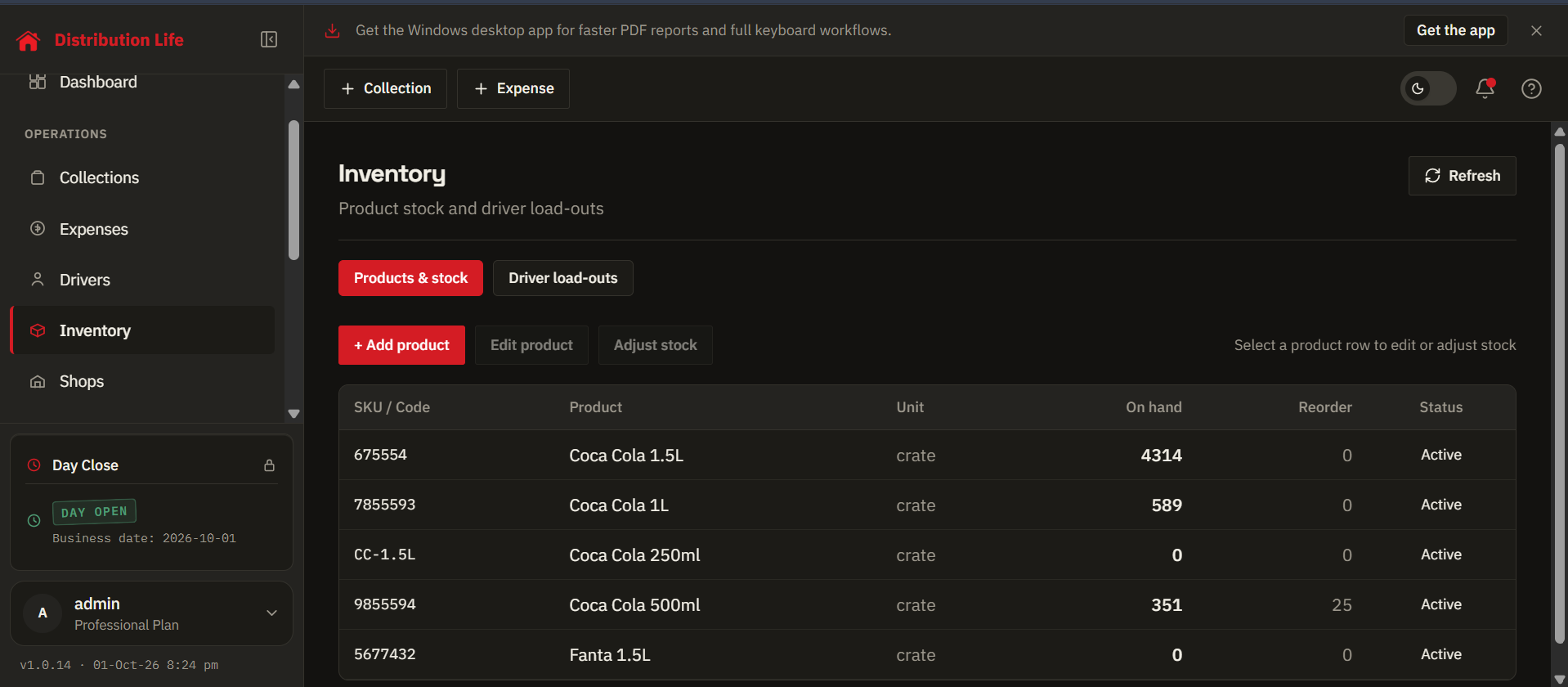
Products & stock
Review stock on hand, reorder levels, and product status.
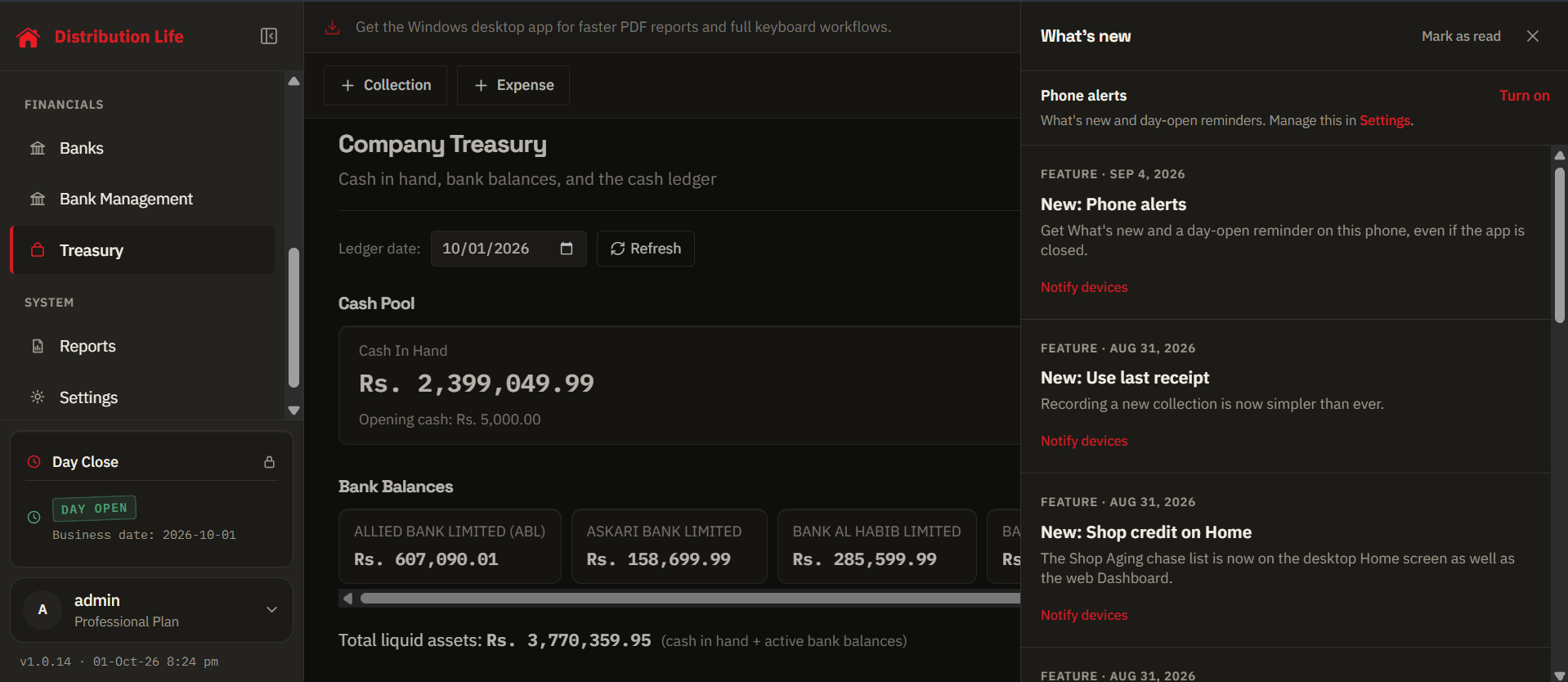
Cash & expenses
Track cash in, out, and on hand.
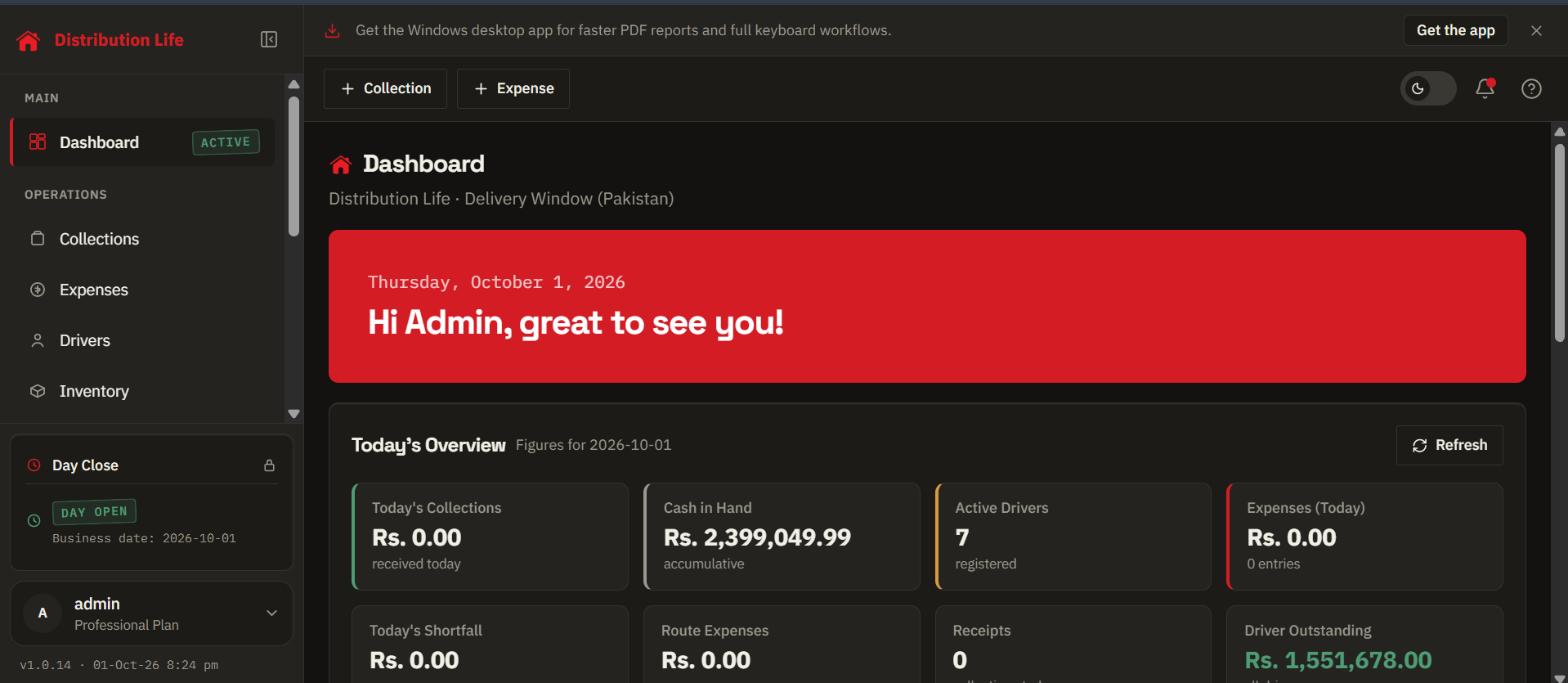
Dark mode
The same daily overview in the app's dark theme.
Collections, deposits, and driver balances are in one system. End-of-day close is against documented figures.
Shop credit and inventory used to live in separate books. Now the office sees every outlet and loadout in one place.
Drivers return, collections go in, and the shortfall is clear the same afternoon. We do not wait until month-end to find gaps.
One system
One login for the office. Collections, treasury, and reports stay on the same desk.
Collection, shortfall, cash in hand, and active drivers, before the first route call.
Driver, bill, discount, cash notes, and bank deposit. One receipt, one save.
Register routes, track balances, and keep the team list ready for the next load.
Category, vehicle, and cash or bank, so treasury always matches the floor.
Cash in hand, bank balances, and the ledger update from the same day’s work.
Preview the Daily Collection Summary, then save the PDF for the file.


